How Teachers Make Classroom Technology Work for Them
By Abbie Misha
February 23, 2026

Image Credit: Rawpixel / Shutterstock
Walk into any school and you will find teachers using classroom technology in very different ways. One teacher builds interactive lessons with embedded videos and real-time polls. Down the hall, another uses technology more selectively, focusing on core features that support daily instruction. Both are effective educators. Both deserve classroom technology that works for them — and their students.
The challenge isn’t that teachers need to change how they work; it’s that most classroom technology is designed with only one pathway in mind. When tools offer multiple entry points instead, they can meet teachers where they are while supporting a wide range of student needs.
Recently, EdSurge spoke with three educators who use ViewSonic’s interactive display technology in distinctly different ways: Rebecca Ganger, technology coach and Chromebook coordinator, who also teaches high school students to repair devices and sponsors her district’s middle school Technology Club; Elena Clemente, technology trainer with 29 years of teaching experience in early elementary grades; and Brendan Powell, elementary STEM teacher. Their experiences illustrate what becomes possible when technology adapts to people rather than demanding that people adapt to it.
EdSurge: Why is it important that classroom technology offers multiple ways to engage?
Powell: Students need an engaging system to help them improve their understanding, and it makes learning more fun. Interactive technology helps a lot with coding, so my students can work through problems with me and are more engaged when they actually get to do the examples. Giving students choices helps them understand different concepts and piques their interest.
Clemente: Students learn in different ways, and teachers bring different approaches to their classrooms. While some students may prefer the interactive tools already displayed, others might prefer to choose which tool to use to demonstrate how to solve a math problem. The same goes for teachers. Some may prefer to use ready-made slides, while others prefer to create on the canvas. By offering choices, we allow both students and teachers to use technology in ways that make learning engaging.
What makes technology feel approachable rather than intimidating for teachers at different comfort levels?

Clemente: As I have led several professional development sessions for teachers, I know that some want only the basics, such as writing on the canvas or projecting slides. Others have created engaging lessons that bring learning to life. All teachers are able to learn more.
I have found that it is best to demonstrate how to use a tool on the interactive panel, have teachers practice and then discuss how they can use it in their lessons. When teachers take that learning back to their classrooms and apply it in a lesson, the tool feels more approachable.

Ganger: Often, new technology requires you to learn so many things just to be able to use the basics and get started. Being able to use parts of the software and then incorporate more as you become familiar and comfortable is a huge plus. You can start with just a little bit of instruction and then learn more to incorporate additional tools into your lessons as you’re ready. You can use it at your comfort level, and it is also very user-friendly for student participation at the board.
What changes occur when students interact directly with classroom displays?

Powell: When students use the display in my classroom, they are more willing to talk to each other about the process and explain their ideas more clearly.
Ganger: They become more focused on the activity and are excited to participate. Students are so accustomed to auditory and visual sources being their primary ways of obtaining information. Having the opportunity to interact with technology fits into their natural way of learning.
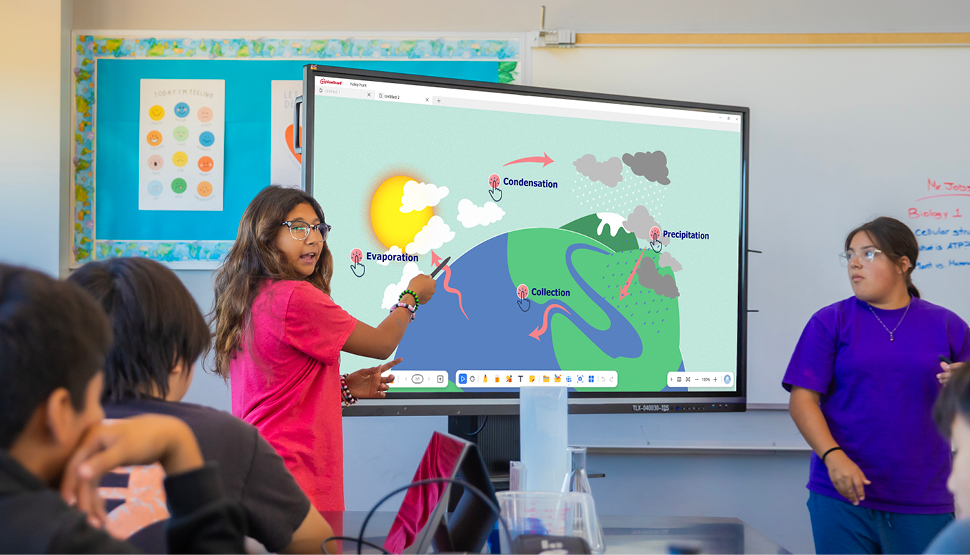
Clemente: One of the big changes I have seen, or rather heard, is the amount of conversation that takes place. Students are able to express their thinking out loud while building speaking and listening skills. Students take pride in being able to share and navigate the interactive panel.
How do you keep students actively involved during interactive lessons?
Ganger: I personally enjoy adding a variety of interactive tools. I incorporate sounds, videos and links to other sites all within my presentation. I also enjoy using game boards with subject-specific questions as review activities. Varying the activities keeps things fresh and interesting for students.
Clemente: One way I keep students actively involved is by having them use their [individual] whiteboards to participate while I am projecting. Students know that they are accountable and that I am looking to call on them to share good examples and demonstrate their learning. I also use partner talks so that students can share what they are learning and gain different perspectives. Students love being called up to engage with the interactive panel, so I call them up in groups. They line up and take turns, or sometimes they work as a team and collaboratively solve the problem.
When it works well, how does technology change your teaching?
Clemente: When technology works well, it makes my job as a classroom teacher easier. I am able to easily share material, provide visually appealing interactive slides and engage with my students using hands-on learning activities that build their technical skills. As a technology trainer, I use technology to demonstrate how teaching can come to life, creating engaging lessons that have a positive impact on student learning.
Ganger: It frees up time typically spent lecturing in front of the room, allowing more one-on-one interaction with students. It provides immediate feedback and allows for easy differentiation of material. Being able to reach all types of learning styles with interactive boards and software is a game-changer.
Powell: The technology that works well in my room has changed how my students access information and made learning more flexible for all of them. One thing I like to say in my room is that technology can help us learn new skills and ways of thinking that will benefit us in the long run. Technology is always evolving, so it helps to have my students involved with me as I’m learning as well.
This article was sponsored by ViewSonic and produced by the Solutions Studio team.
Popular on EdSurge
News
Hundreds of Thousands of Eligible Kids Are Waiting for Childcare Assistance
Moriah Balingit and Lauren CoffeyNews
A Principal and a Student Reviewed the New ChatGPT for Teens. They Had Plenty to Say
David Weldon
As leaders in visual display solutions, ViewSonic transforms classrooms into immersive, 21st-century learning environments.
https://www.viewsonic.com/edu/
Read Next

News
EdSurge Podcast
Putting Edtech Guidance to Work in the Classroom

Voices of Change
Professional Development




Voices of Change
Coding
How Coding Can Cultivate Deep Civic Engagement


News
Higher Education